
Instructions
Select suitable image (1 for each child). Vertical or horizontal orientation is OK, but the image must be correct way up.

NB use modern browser
Uploading instructions
- In the uploader, click [Browse] button and navigate on your computer for chosen image.
- Hit the plus [+] button (under [browser]), to add another image (limited to 15 images per session).
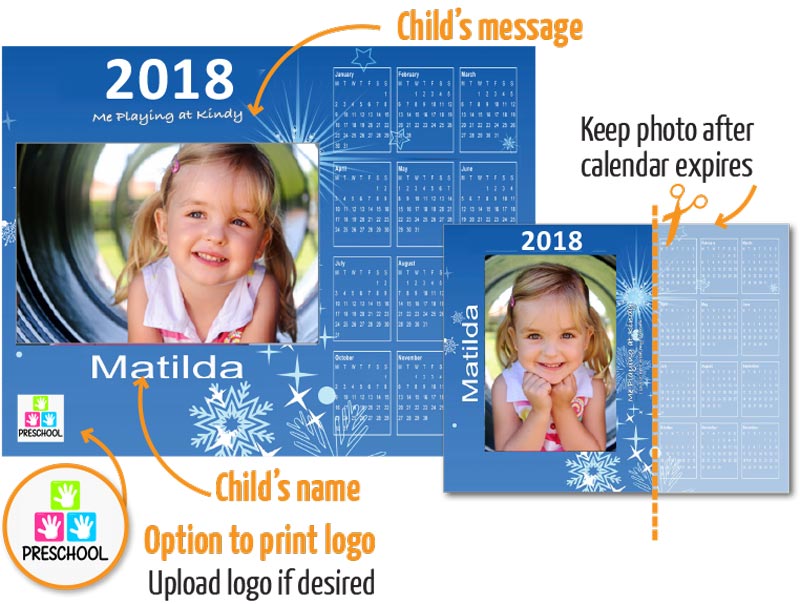
- Enter child’s name (check spelling carefully) as this is the information used to imprint the calendar.
- Enter child’s message if desired so this too can be imprinted on the calendar.
- When satisfied all images/information is fully uploaded and correct click the [Next] button and to supply your contact details, layout choice and finalise the order.
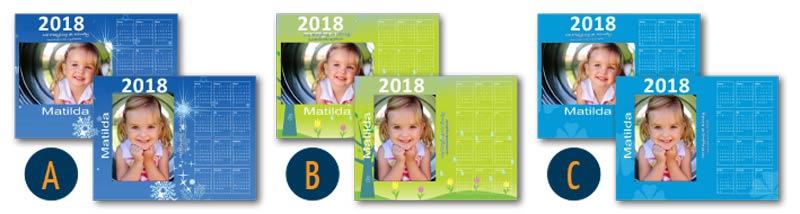
Choose 1 of 3 layout options
A – Christmas theme on blue background
B – Flower theme on green background
C – Lucky theme on pale blue background
Logo Option
Choose whether to imprint company logo, or not. If so add/upload the correct logo in the relevant field when completing the order.
Client promotional calendar manager
Uploader
[gravityform id=1 title=false description=false ajax=true]